 Episode Atlas
30 May 2026
Collections, series browse, and captain's log upgrades
A lot has landed on Episode Atlas since our mid-May guide to watch ranks, streaks, and trending. If you have not visited lately, here is what is new: curated collections, proper series and season pages, a sharper search experience, calendar view for your captain's log, a refreshed home page, and a rebuilt Top 5 community hub.
Episode collections — curated watch guides
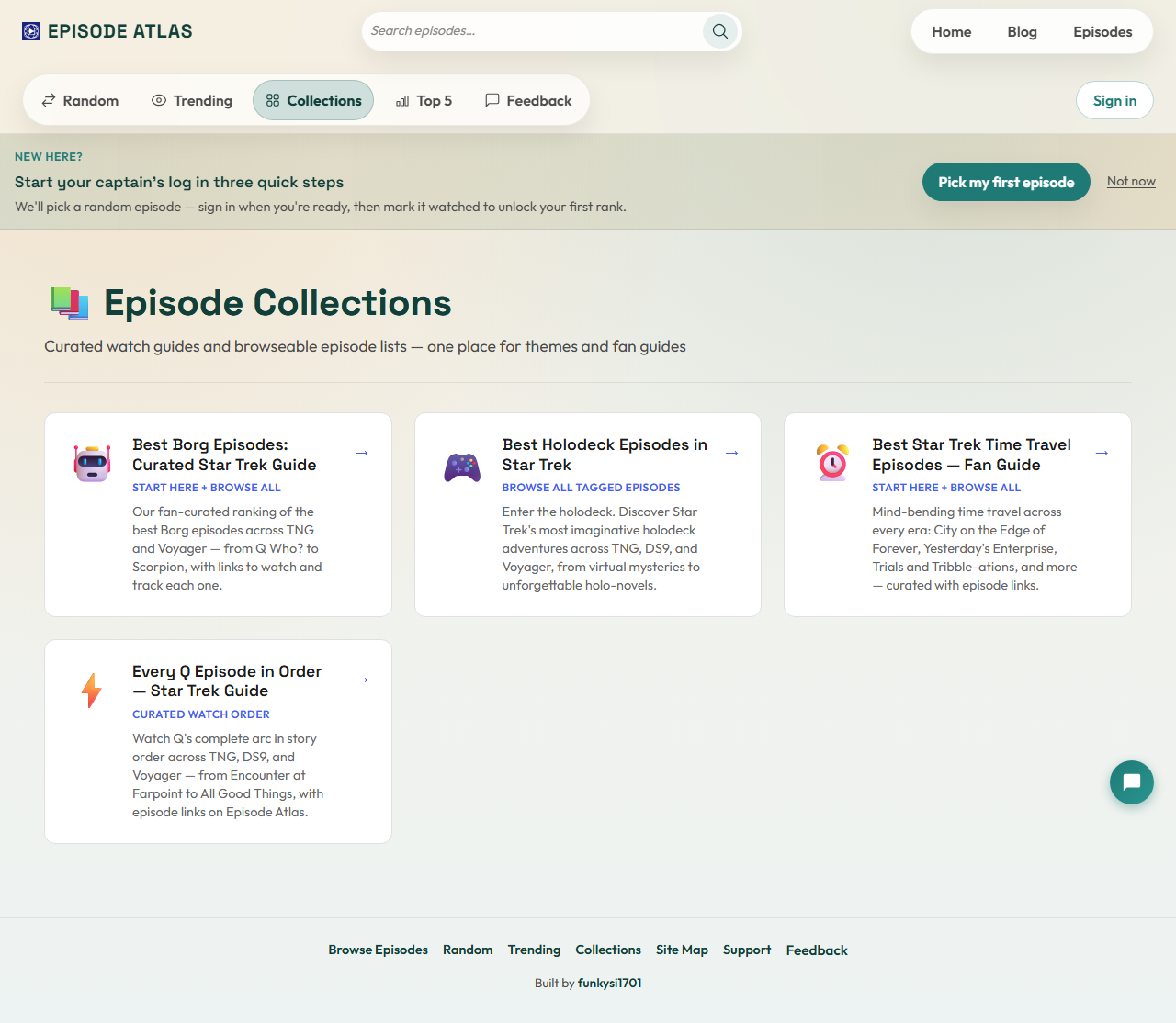
The new Collections hub brings together themed episode lists and fan watch orders in one place. Browse highlights such as Borg episodes, time travel stories, holodeck adventures, Q in chronological order, Dominion War essentials, and more.
Each collection opens as its own page with a short introduction and a grid of episodes. Signed-in users can mark episodes watched straight from the list, the same way you can on the main catalogue. Think of collections as themed lists and curated guides with a bit more editorial context.
When you want a reading-first introduction before you start watching, open a guide-style collection such as Q in order or Dominion War essentials from the same Collections hub.
Series and season pages
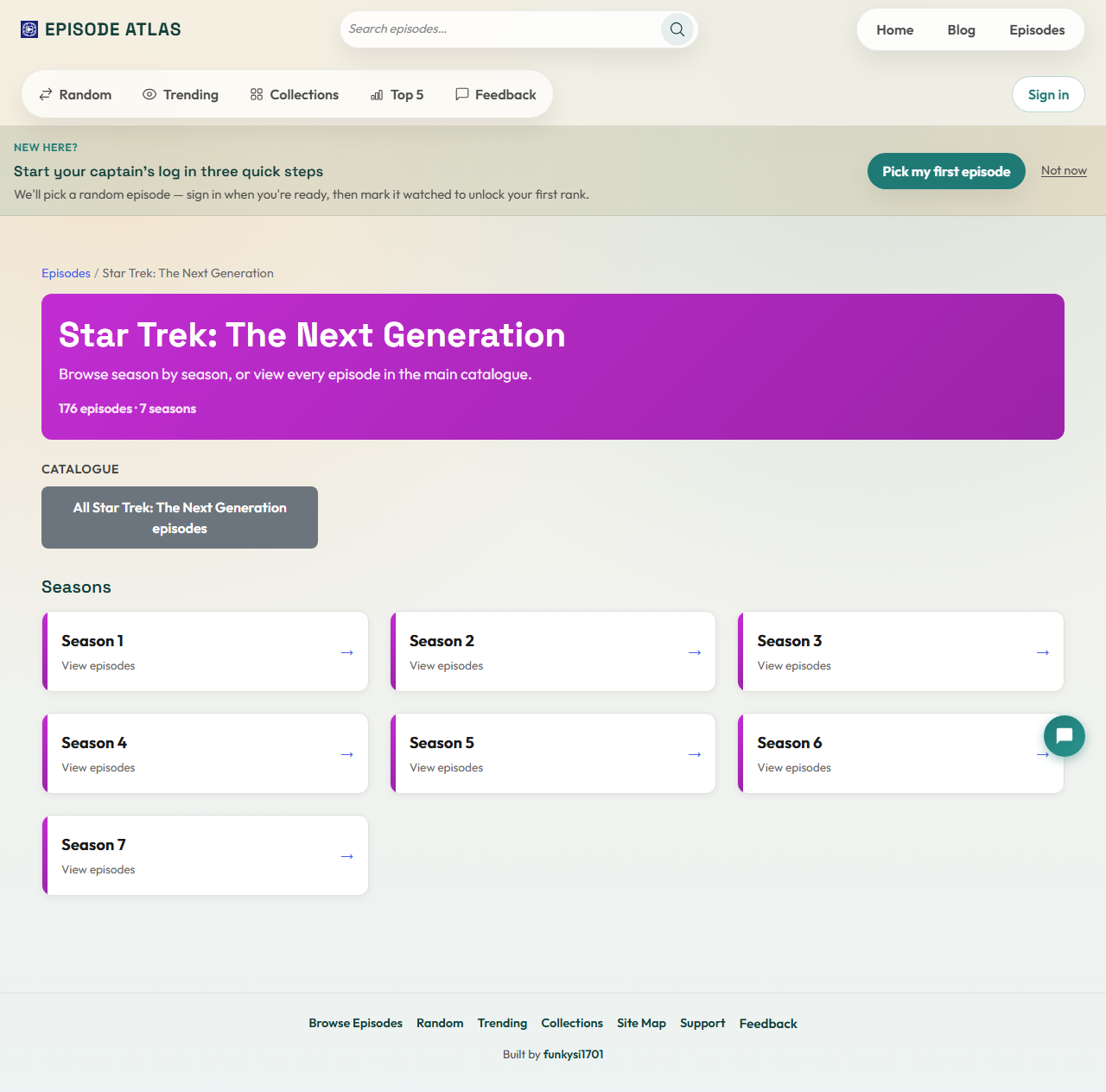
You can now browse franchise-by-franchise — for example, open Star Trek: The Next Generation and see every season at a glance, then drill into a single season for a focused episode grid.
Season pages include breadcrumbs back to the series overview and the main catalogue, plus a link to filter the full episode list to that show. If you are working through a season rewatch, signed-in users can mark an entire season as watched in one go — episodes you have already logged are left unchanged.
It is a natural companion to your per-series completion bars on your mission profile: open a season, log what you watch, and watch the percentage move.
Dedicated search
Search now has its own route at /search, alongside the main browse pages at /episodes and /home. Filter by series, sort the grid, and see how many episodes match your query in the stats row at the top — handy when you remember half a title or want every episode featuring a particular word in the name.
Captain's log — calendar and list views
Your watch history now switches between List and Calendar views. The list view supports search, series filters, sorting, pagination, and grouping — useful when you have hundreds of logged episodes. The calendar paints your watches on a month grid so you can spot binge weekends and quiet spells at a glance.
Refreshed home page and getting started
The home page has a new hero and clearer copy around tracking, ranks, and discovery. If you are new, an onboarding banner offers a gentle path: pick a random first episode, sign in when you are ready, and mark it watched to unlock your Cadet rank.
Top 5 lists — community favourites
Community Top 5 lists got a proper home at /top5list. Browse lists shared by other fans, open a detail page for any list, and create or edit your own when signed in. You can also mark episodes watched from a list without jumping away first.
Smaller improvements worth knowing
- Community watch counts on episode detail pages show how many signed-in users have logged an episode.
- Bluesky share links on key pages when you want to tell the fediverse what you are watching.
- Trending now needs at least two community watches in the rolling window before an episode surfaces — fewer one-off spikes, more signal.
Where to start
Pick the path that fits your mood:
- Explore a collection for a themed night.
- Open a series overview and pick a season to rewatch.
- Check Trending for what the fleet is watching.
- Review your progress in the captain's log calendar.
As always, the core site stays free. If Episode Atlas has helped your rewatch and you want to chip in toward hosting and development, there is an optional support page — but nothing here is paywalled.
Live long and prosper. 🖖